












Why Postel is the Best AI Tweet Generator
Most tweet generator apps produce generic, robotic content. Postel works differently. Our AI tweet generator combines multiple content sources, voice matching, and viral pattern analysis to create authentic, high-performing tweets. The best Twitter tweet generator should make content creation effortless while maintaining authenticity. Postel delivers exactly that.
Here's what makes Postel the superior X post generator:
- Universal Input Support: Transform brain dumps, web searches, YouTube videos, articles, knowledge base content, and raw ideas into polished tweets
- Voice Matching: Every tweet sounds like you, not generic AI output
- Jarvis System Voice: Built-in professional voice trained on viral tweets
- Template Instructions: Guide AI to repurpose content in specific formats
- Multiple Post Lengths: Create short posts, medium posts, or long-form content
- Web Search Integration: Turn any web search into valuable tweet content
- Dictate Mode: Speak your ideas and get polished tweets instantly
Answer: Postel is the best AI tweet generator because it combines universal input support, authentic voice matching, proven viral patterns, and multiple content creation methods. Unlike generic AI tools that produce robotic content, Postel creates tweets that sound authentic while leveraging proven performance patterns.
The Main Content Creation Interface
Postel's content creation interface is your command center for generating tweets. The clean, intuitive design makes it easy to create content from any source, in any format, with any voice.
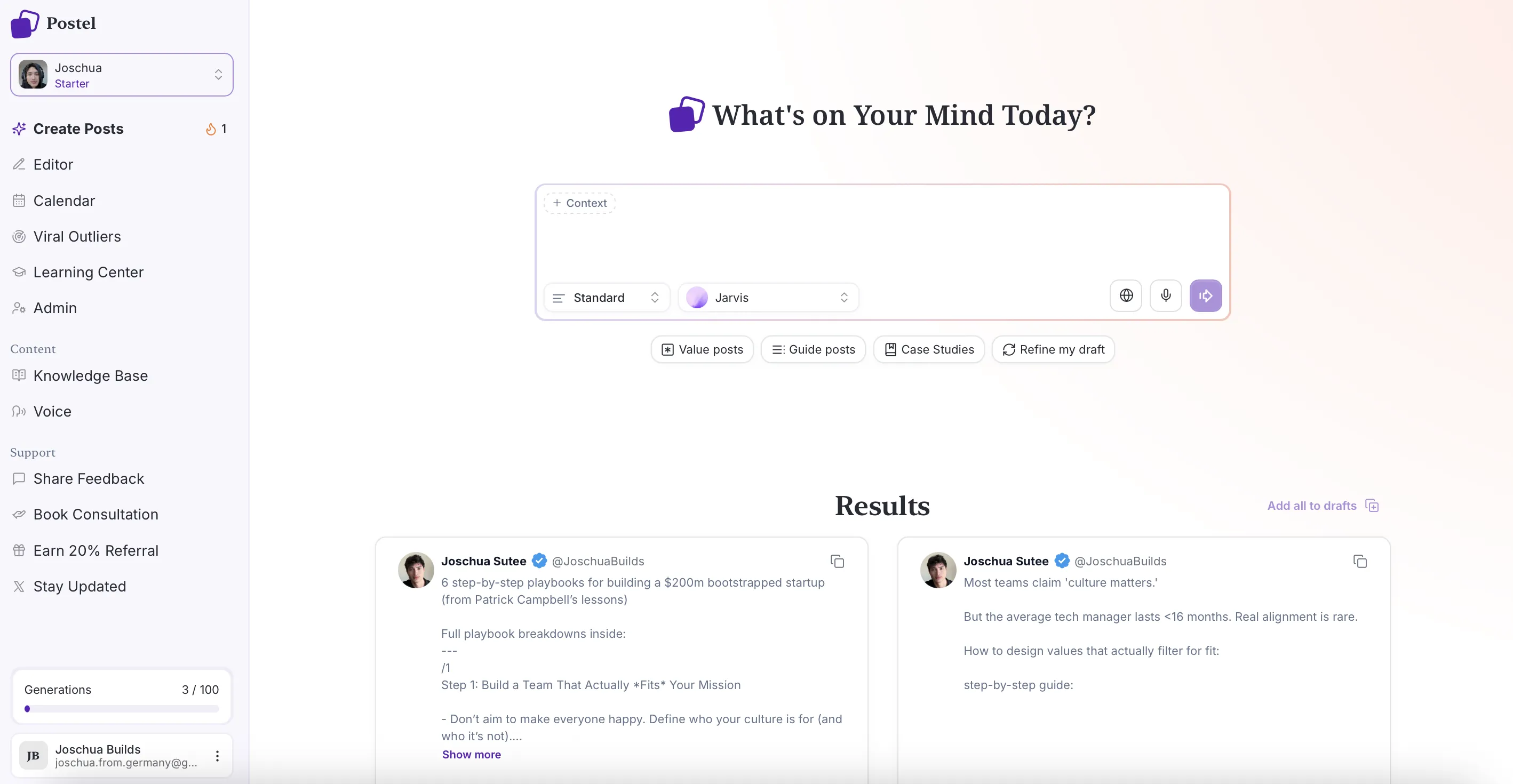
Create Posts Starting View
The interface provides immediate access to all content creation capabilities. Start with any input method, select your preferences, and generate six personalized tweet options in seconds.
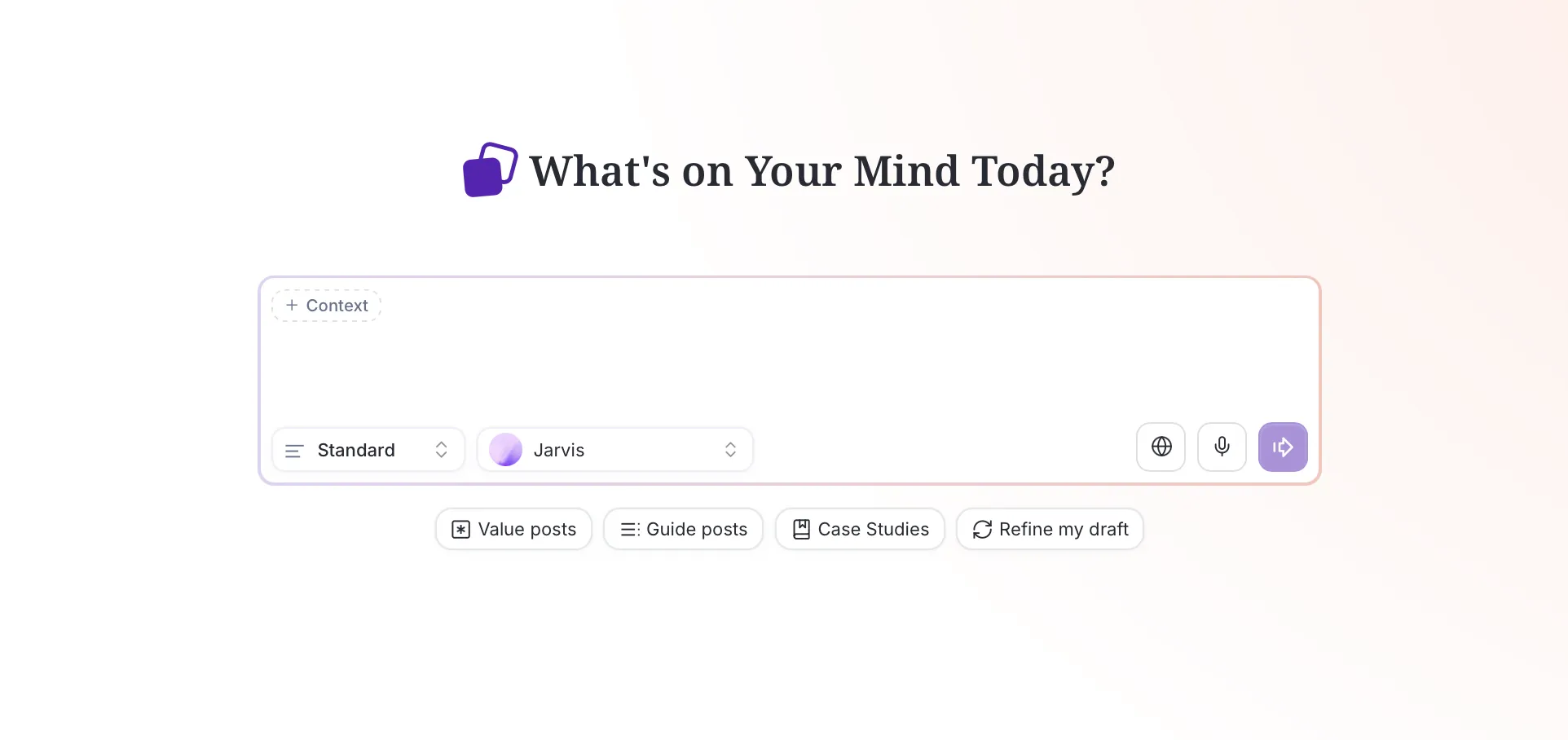
Main View Interface Closeup
Brain Dump to Optimized Tweet
One of Postel's most powerful features is transforming rough ideas, brain dumps, and raw thoughts into polished, optimized tweets. You don't need perfect input. Just provide your idea, and Postel handles the rest.
How Brain Dump Works
Start with any rough idea or stream of consciousness. Postel's AI:
- Extracts key insights: Identifies the valuable core of your idea
- Structures content: Organizes thoughts into compelling format
- Optimizes for X: Formats for maximum engagement
- Maintains your voice: Keeps authentic tone and style
- Adds viral elements: Incorporates proven hooks and patterns
Input examples:
- Rough notes about a topic
- Stream-of-consciousness thoughts
- Bullet points or fragments
- Unstructured ideas
- Quick thoughts jotted down
Output:
- Polished, ready-to-post tweets
- Multiple variations to choose from
- Optimized for engagement
- Authentic to your voice
- Formatted for X's algorithm
The Transformation Process
Postel's brain dump feature works like having an expert editor who understands X. The system:
- Analyzes your input: Understands the core message and value
- Identifies opportunities: Spots hooks, insights, and engaging angles
- Structures content: Organizes ideas into compelling format
- Applies optimization: Incorporates proven patterns and best practices
- Generates variations: Creates six options for you to choose from
The result is content that captures your raw idea while delivering it in a format that performs.
Streamline your content creation and grow your business with valuable content
Web Search to Valuable Content
Postel's web search integration transforms any search query into valuable tweet content. Instruct Postel to search the web, and the system gathers the latest information, trends, and insights to create timely, relevant tweets.
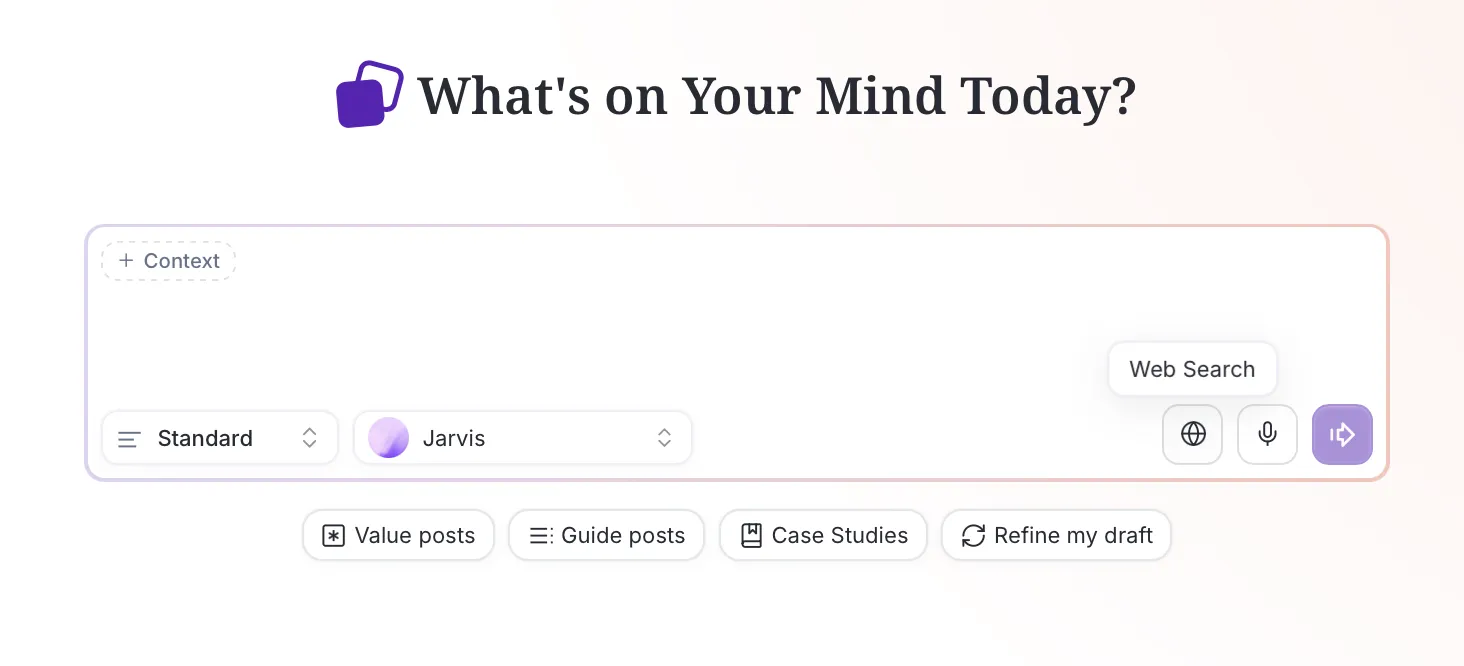
Web Search Interface
How Web Search Works
Tell Postel to search for any topic, and the system:
- Gathers current information: Finds the latest data, trends, and discussions
- Synthesizes insights: Combines multiple sources into coherent content
- Identifies key points: Extracts the most valuable information
- Creates timely content: Generates tweets relevant to current conversations
Use cases:
- Breaking news and current events
- Recent research and studies
- Trending topics and discussions
- Latest statistics and data
- Current industry developments
Web Search Workflow
- Instruct Postel: Tell the system to search for your topic
- Automatic research: Postel gathers information from multiple sources
- Content synthesis: System combines insights into valuable content
- Tweet generation: Creates six optimized tweet options
- Review and select: Choose the variation that best serves your goals
The web search feature ensures your tweets reference the latest information and stay relevant to current conversations.
Universal Repurposing Capabilities
Postel's AI tweet generator accepts content from virtually any source. Transform YouTube videos, blog articles, knowledge base content, Instagram reels, TikTok clips, and more into optimized tweets.
Knowledge Base Repurposing
Reference your knowledge base topics during content creation. Postel pulls context, background information, and stored expertise into your tweets, ensuring consistent branding and authoritative content.
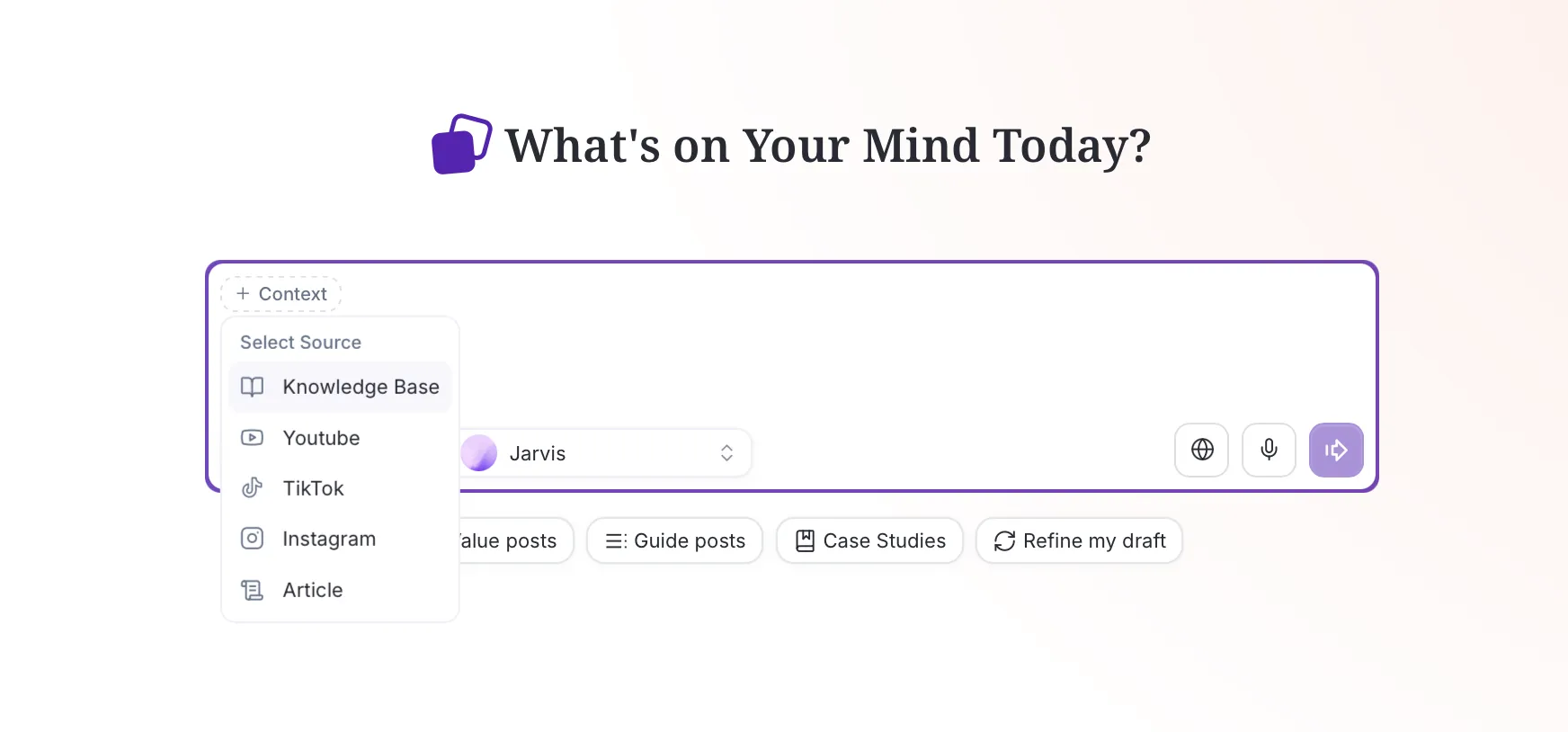
Context Options
Knowledge base integration:
- Select multiple topics to combine insights
- System synthesizes stored knowledge with external sources
- Maintains brand consistency across content
- Leverages your expertise and context
- Creates authoritative, on-brand tweets
Blog Article Repurposing
Paste any blog article URL, and Postel extracts key insights, data points, and expert opinions. The system reads and comprehends full article content, transforming it into bite-sized, shareable tweets.
Article processing:
- Full article comprehension and analysis
- Key insight extraction
- Statistics and data point identification
- Expert quote extraction
- Main argument distillation
YouTube Video Repurposing
Transform YouTube videos into tweets by pasting the URL. Postel analyzes video transcripts, identifies main themes, and creates engaging tweets that capture the essence of long-form video content.
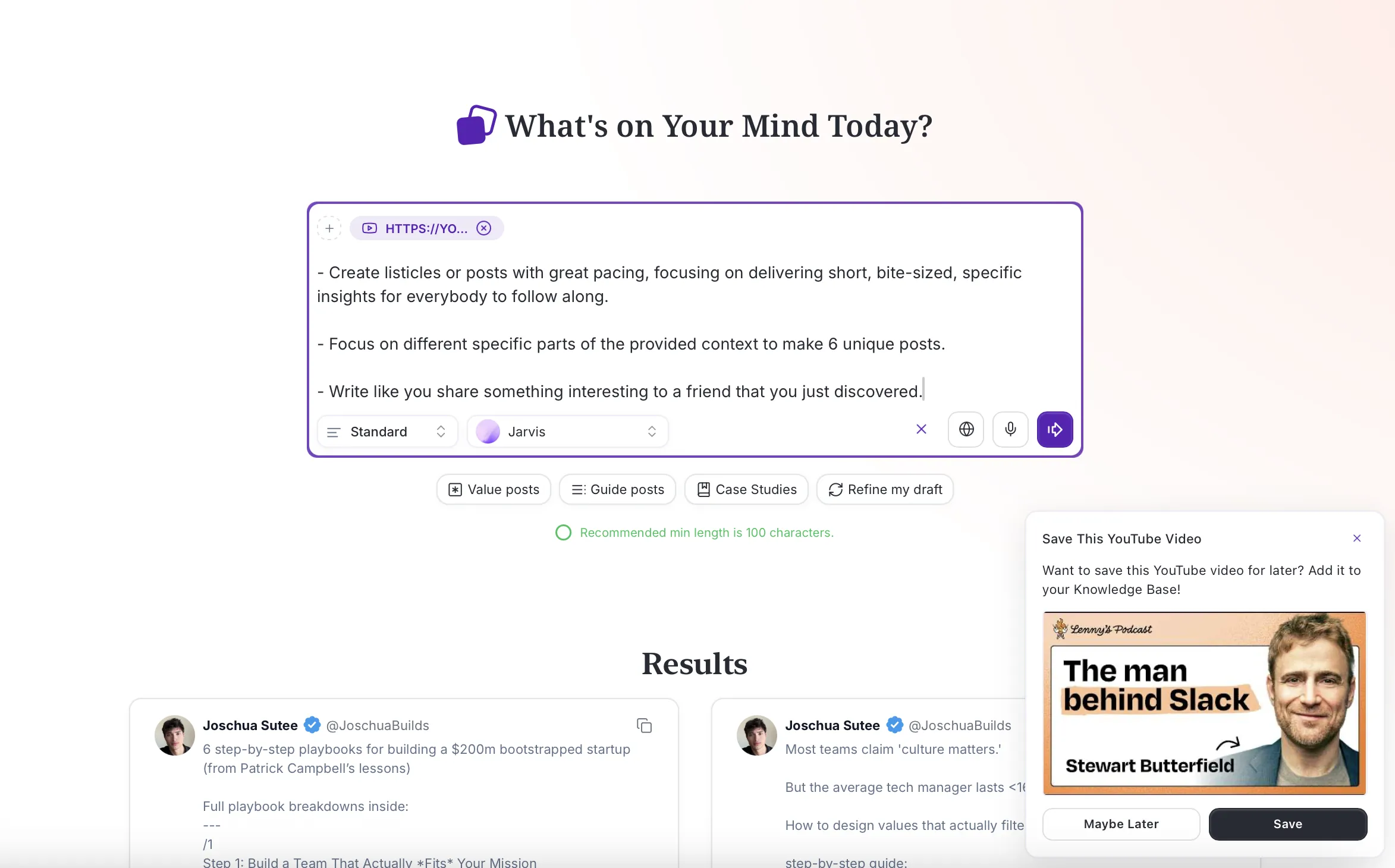
YouTube Repurposing with Template
YouTube processing:
- Automatic transcript analysis
- Key insight extraction
- Quote and statistic identification
- Main theme recognition
- Actionable takeaway creation
Instagram Reels and TikTok Repurposing
Transform short-form video content into tweets. Postel analyzes video content, extracts key messages, and expands them into tweet format optimized for X audiences.
Short-form video processing:
- Video content analysis
- Key message extraction
- Format adaptation for X
- Engagement optimization
- Multi-platform content repurposing
Multi-Source Content Synthesis
Combine multiple sources in a single generation request. Postel synthesizes insights from various sources, creating unique perspectives and comprehensive overviews of topics.
Synthesis capabilities:
- Multiple URL processing
- Cross-source insight combination
- Unique perspective generation
- Comprehensive topic coverage
- Themed content series creation
Template Instructions for Content Repurposing
Postel includes template instructions that guide the AI to repurpose content in specific formats. These templates ensure content follows proven structures that perform well on X.
Available Templates
Case Study Posts: Turn context into structured case studies with hooks, evidence, and takeaways. Perfect for transforming success stories, examples, or analyses into compelling tweet format.
Source-to-Value: Create bite-sized insights and listicles from source material. Ideal for extracting key points from articles, videos, or knowledge base content.
Guide Posts: Transform insights into actionable step-by-step guides. Excellent for educational content, how-to information, or instructional material.
Refine My Post: Polish existing drafts into high-impact content. Use this template to improve drafts, enhance hooks, or optimize engagement potential.
How Template Instructions Work
- Select template: Choose the format that matches your goal
- Provide source: Add your content source (URL, knowledge base topic, or raw input)
- Generate content: Postel applies template structure to your source
- Review variations: Get six options following the template format
- Select and refine: Choose your favorite and edit if needed
Templates ensure consistent structure while maintaining flexibility for your specific content and voice.
Streamline your content creation and grow your business with valuable content
Different Post Lengths
Postel supports multiple post length options, allowing you to create content that matches your goals and audience preferences.
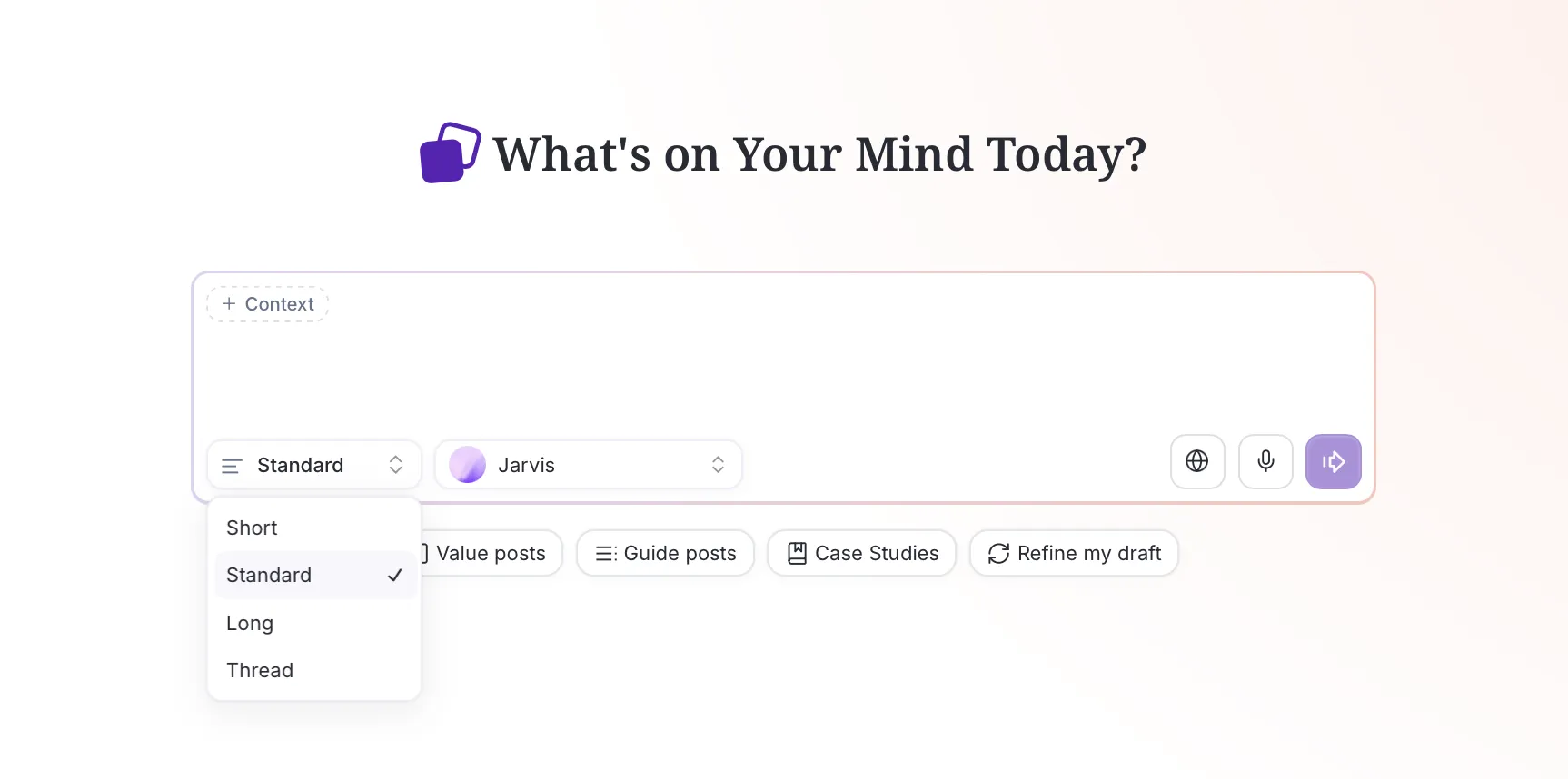
Post Length Options
Available Length Options
Short Posts: Concise, punchy content optimized for quick consumption. Perfect for hooks, quotes, or quick insights that grab attention immediately.
Medium Posts: Balanced content that provides value while maintaining engagement. Ideal for insights, tips, or explanations that need more space to deliver value.
Long Posts: Comprehensive content that explores topics in depth. Excellent for detailed insights, complex explanations, or value-dense content.
Choosing the Right Length
Select post length based on:
- Your goal: Quick engagement vs. deep value delivery
- Your audience: Preferences and consumption patterns
- Your topic: Complexity and depth required
- Your format: Single post vs. thread preparation
- Your style: Personal preference and brand voice
Postel optimizes content for your selected length while maintaining value and engagement potential.
Dictate Mode: Raw Ideas to Polished Content
Postel's dictate mode transforms spoken ideas into polished tweets. Speak your thoughts naturally, and the system converts them into ready-to-post content.
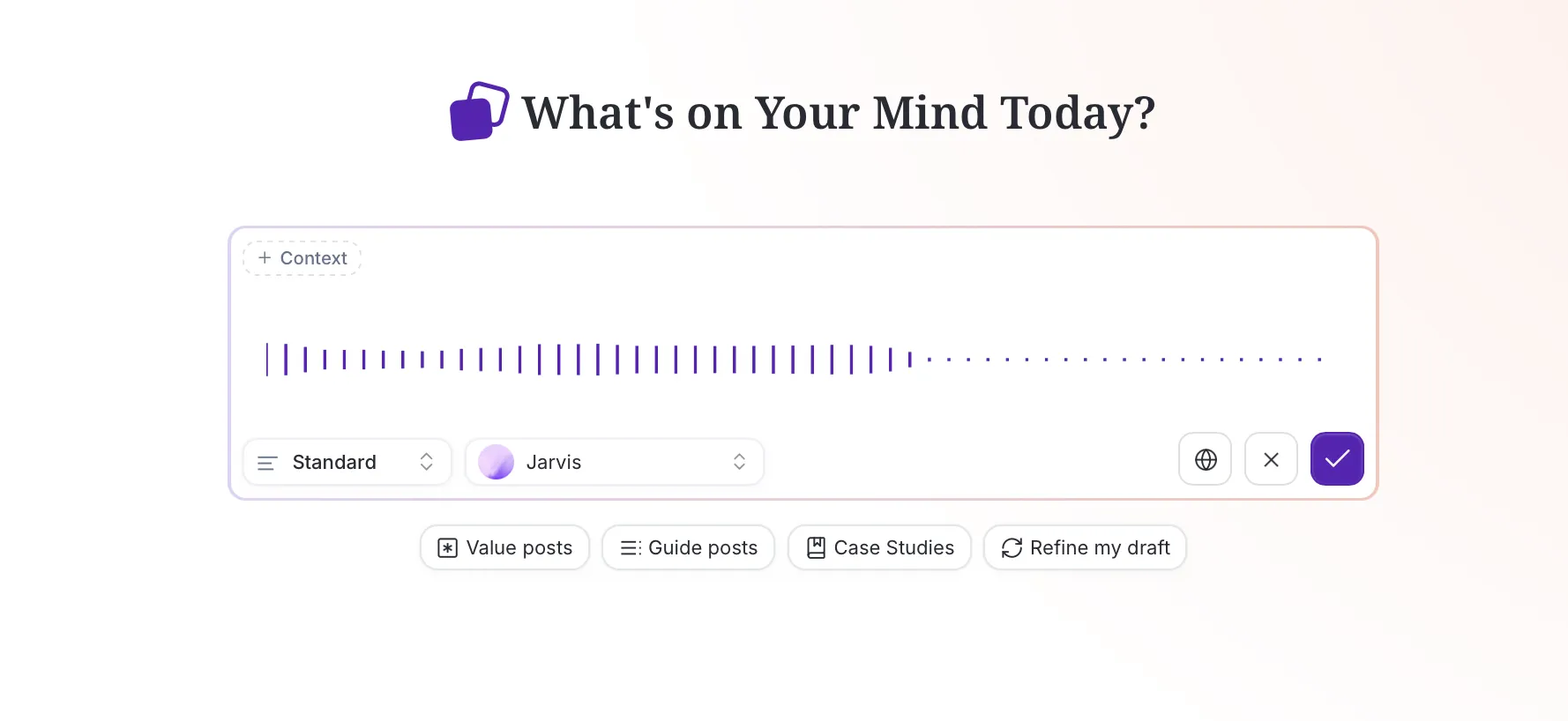
Dictate Mode
How Dictate Mode Works
- Activate dictate mode: Click the microphone icon in the interface
- Speak your idea: Talk naturally about your topic or thought
- Real-time transcription: System converts speech to text instantly
- AI processing: Postel analyzes and optimizes your spoken content
- Generate tweets: Get six polished variations ready to post
Dictate Mode Benefits
Natural ideation: Speak your thoughts as they come, without worrying about structure or formatting. Dictate mode captures your raw ideas and transforms them into polished content.
Time efficiency: Faster than typing, especially for complex ideas or when you're on the go. Speak your thoughts and get polished tweets in seconds.
Voice authenticity: Spoken ideas often capture authentic tone and natural phrasing. Dictate mode preserves this authenticity while optimizing for X.
Accessibility: Perfect for creators who prefer speaking over typing or need hands-free content creation.
Use Cases for Dictate Mode
- Quick thoughts: Capture ideas as they occur
- Complex concepts: Explain ideas verbally for better clarity
- On-the-go creation: Create content while walking, driving, or multitasking
- Brain dump sessions: Speak stream-of-consciousness thoughts
- Interview insights: Transform spoken insights into tweets
Voice Selection: Jarvis and Custom Voices
Postel offers multiple voice options for content generation. Choose your own X profile voice, the built-in Jarvis system voice, or any creator you follow.
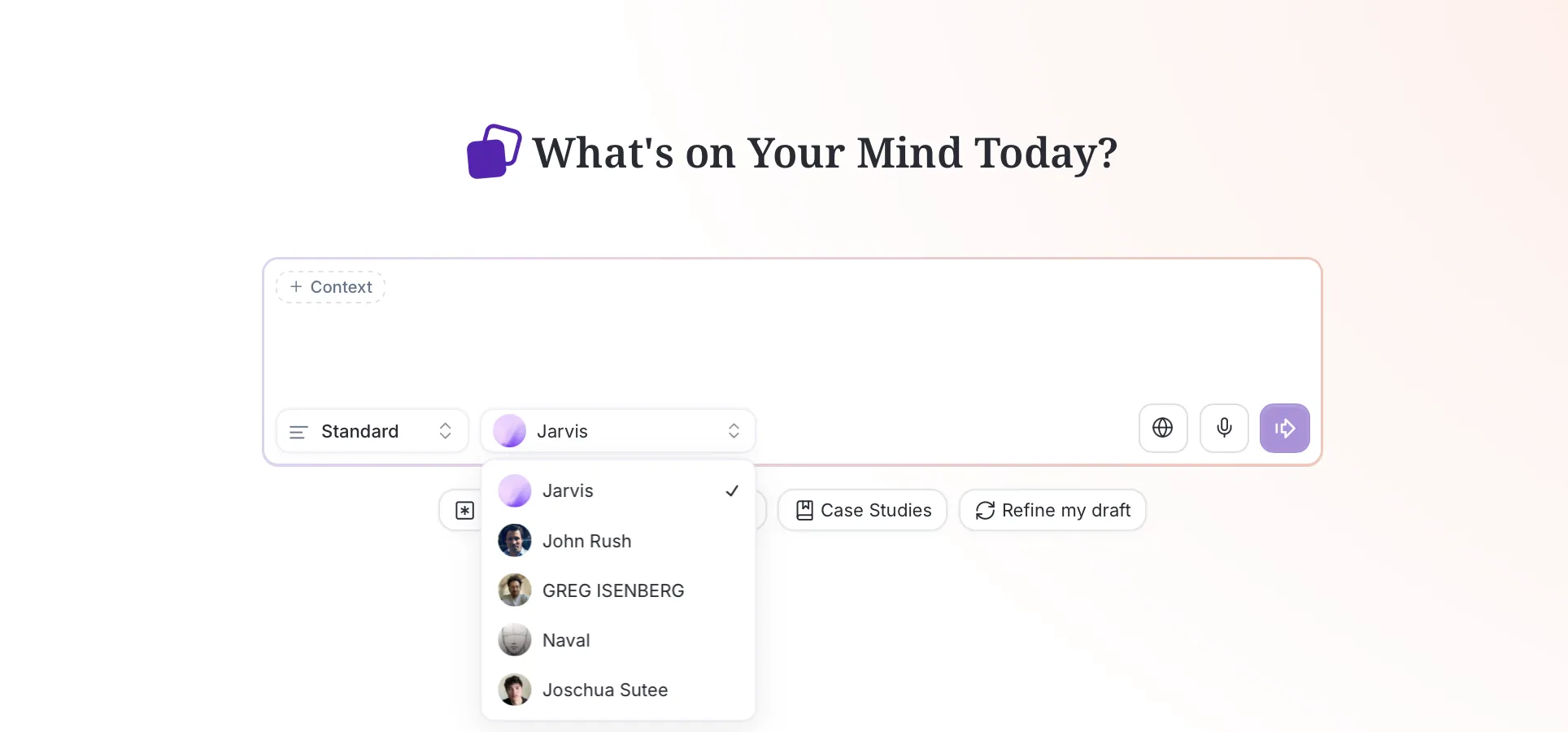
Select Voices Dropdown
Jarvis System Voice
Jarvis is Postel's built-in professional voice trained on thousands of viral tweets. This system voice provides:
- Proven patterns: Structures and formats that perform well
- Professional tone: Polished, authoritative content
- Consistent quality: Reliable output for any topic
- Viral optimization: Incorporates patterns from high-performing tweets
When to use Jarvis:
- Professional or business content
- Educational or instructional posts
- When you want consistent, high-quality output
- Authority-building content
- Neutral, professional tone requirements
Your Own X Profile Voice
Connect your X account, and Postel analyzes your timeline to learn your unique writing style. Tweets generated with your profile voice sound exactly like you wrote them.
Your voice benefits:
- Authentic tone: Matches your natural writing style
- Personal context: Incorporates your expertise and perspective
- Cultural nuances: Captures subtleties other AI misses
- Brand consistency: Maintains your unique voice across content
Creator Voice Library
Follow and learn from successful creators on X. Postel includes pre-curated voices from top creators and allows you to add any public X profile to the voice library.
Creator voice benefits:
- Learn from the best: Study successful creator patterns
- Experiment with styles: Try different approaches
- Niche expertise: Access voices trained on specific topics
- Format inspiration: Discover new content structures
Answer: Postel offers multiple voice options including Jarvis (professional system voice), your own X profile voice (trained on your timeline), and creator voices from successful accounts. Each voice option provides different benefits: Jarvis for consistent professional content, your profile voice for authentic personal content, and creator voices for learning and experimentation.
Streamline your content creation and grow your business with valuable content
The Complete Content Creation Workflow
Postel's content creation follows a streamlined process designed for speed and quality.
Step 1: Choose Your Input Method
Start with any input:
- Brain dump or rough idea
- Web search instruction
- YouTube URL
- Blog article link
- Knowledge base topic
- Instagram reel or TikTok link
- Dictated idea
- Raw text or prompt
Step 2: Select Context Options
Add context to enrich your content:
- Knowledge base topics
- Voice profile selection
- Template instructions
- Post length preference
- Additional sources
Step 3: Generate Content
Postel creates six personalized tweet options based on your input, context, and preferences. Each variation offers a different angle or approach.
Step 4: Review and Select
Review all six options and choose the one that best serves your goals. Consider:
- Your audience preferences
- Your content goals
- Your brand voice
- Current trends and timing
- Engagement potential
Step 5: Refine and Enhance
Open your selected tweet in Postel's editor to:
- Add images, videos, or links
- Make final edits
- Optimize for engagement
- Prepare for scheduling or publishing
Step 6: Publish or Schedule
Post immediately to your X timeline, schedule for optimal times, or post to X Communities. The entire workflow happens in one platform.
Answer: Postel's complete content creation workflow involves choosing your input method (brain dump, URL, web search, etc.), selecting context options (voice, templates, length), generating six personalized tweet options, reviewing and selecting your favorite, refining in the editor, and finally publishing or scheduling your content.
Why Postel is the Best Twitter Tweet Generator
vs. Generic AI Tools
Most AI tools produce generic content that sounds robotic. Postel matches your voice and creates tweets that feel human and authentic.
vs. Manual Content Creation
Manual creation takes hours. Postel reduces this to minutes while maintaining quality and authenticity.
vs. Single-Source Tools
Tools that only handle one content source limit your options. Postel accepts any input and transforms it into optimized tweets.
vs. Template-Only Generators
Static templates produce repetitive content. Postel combines templates with your voice and source material for unique, authentic output.
Answer: Postel is the best Twitter tweet generator because it combines universal input support, authentic voice matching, and proven viral patterns. Unlike generic AI tools (robotic), manual creation (time-consuming), single-source tools (limited), or template-only generators (repetitive), Postel creates unique, authentic tweets from any source while maintaining your voice.
Best Practices for Content Creation
1. Provide Rich Context
The more context you provide, the better your tweets will be. Use knowledge base topics, detailed prompts, or multiple sources to enrich content generation.
2. Experiment with Voice Options
Try different voice profiles to discover what works best for different content types. Use your profile for personal content, Jarvis for professional posts.
3. Use Templates Strategically
Apply templates that match your goals. Use case study templates for examples, guide templates for how-to content.
4. Leverage Web Search
Use web search for current topics, breaking news, or trending discussions. This ensures your content stays relevant and timely.
5. Combine Sources
Don't limit yourself to single sources. Combine knowledge base topics with external URLs for comprehensive, unique content.
6. Review All Variations
Always review all six generated options. Different angles might serve different goals or resonate with different audiences.
7. Refine Before Publishing
Use the editor to add personal touches, media, or final optimizations. Small edits can significantly improve engagement.
Answer: Best practices for content creation include providing rich context, experimenting with voice options, using templates strategically, leveraging web search for timely content, combining multiple sources, reviewing all six variations, and refining content before publishing to maximize engagement.
Getting Started
Quick Start Guide
- Sign Up: Create your free Postel account at postel.app
- Connect X Account: Link your X account for voice training
- Choose Input Method: Start with a brain dump, URL, or web search
- Select Preferences: Choose voice, length, and context options
- Generate Content: Get six personalized tweet options
- Select and Refine: Choose your favorite and enhance in the editor
- Publish or Schedule: Post immediately or schedule for optimal times
7-Day Trial
Postel offers a 7-day trial with full access to all Pro features, including unlimited content generation. Start creating tweets today.
Pricing & Plans
Starter Plan
Perfect for creators just starting to grow their audience on X and LinkedIn.
- $19/month (billed yearly) or $29/month (billed monthly)
- Knowledge Base
- Write Like Any Creator From X (Twitter)
- Access To All Content Creation Flows
- Tone Of Voice Analysis
- Rich-text Editor With Media & AI Writing
- Analyse Posts to Predict Performance
- Browse & Filter Viral Outliers
Professional Plan
Ideal for founders and professionals ready to scale their audience and grow their business faster.
- $29/month (billed yearly) or $49/month (billed monthly)
- Everything in Starter
- 3x More Usage
- Priority Support
- Personal Onboarding with the Founders
- Monthly Strategy Calls
Frequently Asked Questions
Is Postel a good AI tweet generator?
Yes, Postel is specifically designed as an AI tweet generator and X tweet generator with native X integration, voice matching, and universal content source support. The tweet generator is built for X's format, not adapted from generic AI tools.
Can I create tweets from brain dumps?
Absolutely. Postel's brain dump feature transforms rough ideas, notes, or stream-of-consciousness thoughts into polished, optimized tweets. Just provide your raw idea, and Postel handles the rest.
Does Postel support web search?
Yes, you can instruct Postel to perform web searches during content creation. The system gathers the latest information, trends, and insights to create timely, relevant tweets.
What is Jarvis voice?
Jarvis is Postel's built-in professional system voice trained on thousands of viral tweets. It provides consistent, high-quality output with proven patterns and professional tone.
Can I repurpose YouTube videos?
Yes, Postel fully supports YouTube URL processing. Paste any YouTube URL, and Postel extracts insights, quotes, and key points to create optimized tweets.
What content sources work with Postel?
Postel accepts content from virtually any source: brain dumps, web searches, YouTube videos, blog articles, knowledge base topics, Instagram reels, TikTok clips, and raw ideas. Every input method works for tweet generation.
Can I dictate my ideas?
Yes, Postel includes dictate mode that transforms spoken ideas into polished tweets. Speak your thoughts naturally, and the system converts them into ready-to-post content.
How do template instructions work?
Template instructions guide Postel to repurpose content in specific formats like case studies, guides, or listicles. Select a template, provide your source, and Postel applies the structure to your content.
What post lengths are available?
Postel supports short, medium, and long post lengths. Choose based on your goals, audience preferences, and content complexity.
Can I use multiple sources at once?
Yes, Postel supports multi-source content synthesis. Combine knowledge base topics, URLs, and other sources in a single generation request for comprehensive content.
Start Creating Tweets Today
Postel is the most comprehensive AI tweet generator, Twitter tweet generator, and X post generator available. With universal content source support, voice matching, web search integration, and dictate mode, Postel gives you everything needed to create high-performing tweets in minutes.
Transform any input into polished content. Maintain your authentic voice. Leverage proven viral patterns. All in one platform designed specifically for X.
Related Resources:
- What is Postel
- How to Write Better Tweets
- How to Increase Impressions on X
- Twitter Thread Maker
- Viral Tweet Library
Postel is the best AI tweet generator, Twitter post maker, and X post generator for content creators who want to create high-performing tweets while maintaining authenticity and saving time. Start your 7-day trial today and experience the difference a purpose-built tweet generator AI can make.