












X (formerly Twitter) bookmarks are private by design. Only you can see which posts you've saved to your bookmarks. No one else can view your bookmark collection: not the post author, not your followers, not X Premium subscribers. Here's everything you need to know about bookmark privacy.
Bookmarks Are Private
When you bookmark a post on X:
- The post is saved to your private collection
- No notification is sent to the original poster
- No one can see that you bookmarked it
- Your bookmark list is invisible to others
This privacy has been consistent since bookmarks launched in 2018 and continues under X's current ownership.
The One Exception: Bookmark Counts
While your individual bookmarks are private, X displays how many times a post has been bookmarked in aggregate.
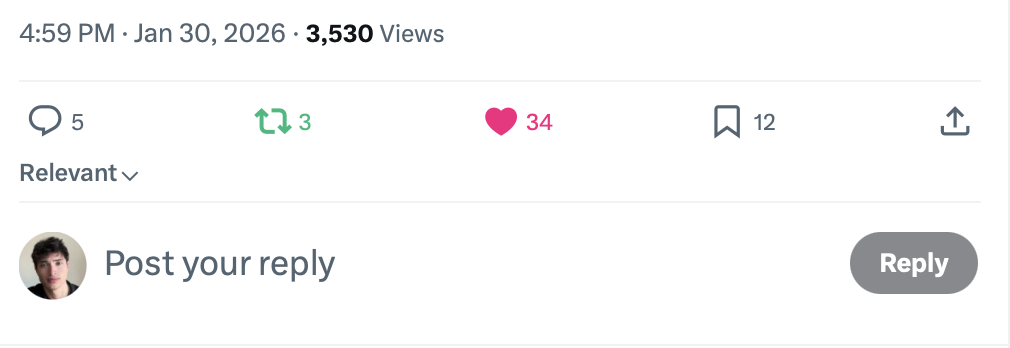
What's visible:
- The total bookmark count appears on posts
- Anyone can see this number
What's NOT visible:
- Who specifically bookmarked the post
- Clicking the count doesn't reveal usernames
- No list of bookmark users exists
Think of it like a counter: everyone sees the number, no one sees the names.
How to Bookmark a Post
On Mobile
- Tap the share icon on any post
- Select "Bookmark"
- The post is saved to your collection
Or tap and hold the share icon for quick bookmark access.
On Desktop
- Click the share icon under the post
- Select "Add to Bookmarks"
- Confirmed with a brief notification
Accessing Your Bookmarks
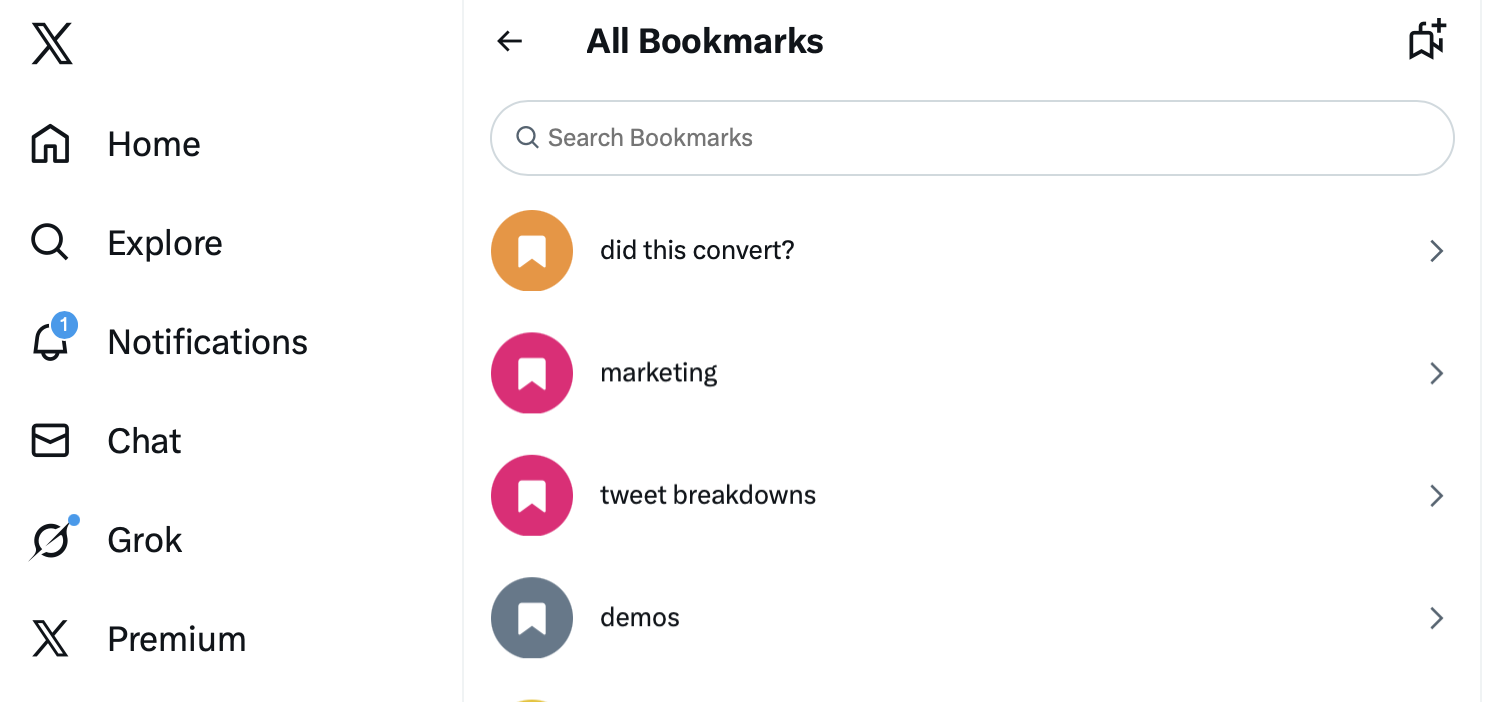
Mobile:
- Tap your profile icon
- Select "Bookmarks"
Desktop:
- Click "Bookmarks" in the left sidebar
Why Bookmarks Are Private
X designed bookmarks as a private feature for several reasons:
Personal Curation
Bookmarks let you save content without social implications. You might bookmark:
- Posts to read later
- References for work
- Content you disagree with but want to track
- Things you don't want to publicly "like"
Privacy enables honest curation.
Research and Journalism
Journalists, researchers, and analysts use bookmarks to track content without revealing their interests. Public bookmarks would compromise this use case.
Reducing Social Pressure
Unlike likes (which are public), bookmarks let you save content without signaling anything to others. This reduces social anxiety around engagement.
Bookmarks vs. Likes
Understanding the difference:
Likes
- Public: Everyone can see what you've liked
- Notifies: Post author receives notification
- Visible on profile: Your likes tab shows your activity
- Social signal: Indicates endorsement or appreciation
Bookmarks
- Private: Only you can see your bookmarks
- No notification: Author doesn't know
- Hidden: No bookmark tab visible to others
- Personal utility: For your reference only
Use likes for public endorsement, bookmarks for private saving.
Common Questions About Bookmark Privacy
Can the post author see I bookmarked their content?
No. Authors see the total bookmark count but cannot identify who contributed to that number.
Can X Premium subscribers see bookmarks?
No. Premium provides additional features but doesn't include viewing others' bookmarks. This privacy is universal across all account types.
What if someone has physical access to my phone?
They could see your bookmarks by opening your logged-in X app. Bookmark privacy protects against remote viewing, not physical device access.
Do bookmarks appear in any public analytics?
No. Your bookmarks don't appear in your activity, profile, or any analytics visible to others.
If I bookmark a post, does it affect the algorithm?
Bookmarks may signal interest to X's algorithm, potentially influencing your recommendations. However, this is internal and doesn't expose your bookmarks to others.
Organizing Bookmarks
X offers features to manage your bookmark collection:
Bookmark Folders (Premium)
X Premium subscribers can create folders:
- Go to Bookmarks
- Create new folder
- Move bookmarks into organized categories
Non-Premium users have one default folder for all bookmarks.
Removing Bookmarks
To remove a saved post:
- Go to Bookmarks
- Find the post
- Tap the bookmark icon again to remove
Or from any post: if already bookmarked, tapping bookmark removes it.
Bookmark Limits
X doesn't publish official bookmark limits, but the feature supports thousands of saved posts.
Strategic Uses for Bookmarks
Content Research
Save posts that inspire your own content. Unlike likes, your research interests stay private.
Competitor Monitoring
Track competitor content without alerting them to your attention.
Read Later
Save long threads or articles to read when you have time.
Evidence Collection
Document posts that might be deleted. Your bookmark persists even if the original is removed (though you won't be able to view the content).
Inspiration Library
Build a collection of excellent posts for format and style reference.
Bookmarks and Post Deletion
What happens when you bookmark a post that later gets deleted:
- The bookmark entry remains in your list
- The content becomes inaccessible
- You'll see "This post is unavailable" or similar
- You can remove the dead bookmark manually
Bookmarking doesn't preserve content. It saves a reference to the post.
Frequently Asked Questions
Why can everyone see bookmark counts but not who bookmarked?
X shows counts as a quality signal (popular posts have high bookmarks) while protecting individual privacy. The count helps users identify valuable content without exposing personal curation habits.
Will X ever make bookmarks public?
No indication suggests this change. The private nature is fundamental to the feature's design and user value. Making bookmarks public would eliminate much of their utility.
Can I export my bookmarks?
X's data download includes some bookmark data, but export functionality is limited. Third-party tools exist but require careful vetting for security.
Do bookmarks sync across devices?
Yes. Bookmarks are tied to your account and appear on any device where you're logged in.
How many bookmarks can I save?
X hasn't published official limits. Users report being able to save thousands of posts without issues.
X bookmarks offer private content saving without the social implications of liking. While bookmark counts are visible, your personal collection remains completely private. Use bookmarks freely for research, inspiration, and reference without concern about others seeing your curation choices.