












When someone deletes a tweet, it's removed from X's servers permanently. However, several archiving services may have captured the content before deletion. Here's how to find deleted tweets using legitimate methods and what to expect from each approach.
Why Tweets Get Deleted
Understanding deletion motivations helps you search more effectively:
- Regret: Posted something embarrassing or controversial
- Errors: Typos, broken links, or wrong information
- Strategy changes: Old content no longer aligns with current messaging
- Legal concerns: Content that could create liability
- Privacy: Accidentally shared personal information
- Account cleanup: Removing old, irrelevant content
Public figures and brands often delete tweets that receive negative reactions. These deletions frequently happen within hours of posting, making quick archiving essential for preservation.
Method 1: Wayback Machine
The Internet Archive's Wayback Machine is the most reliable tool for finding deleted tweets from public accounts.
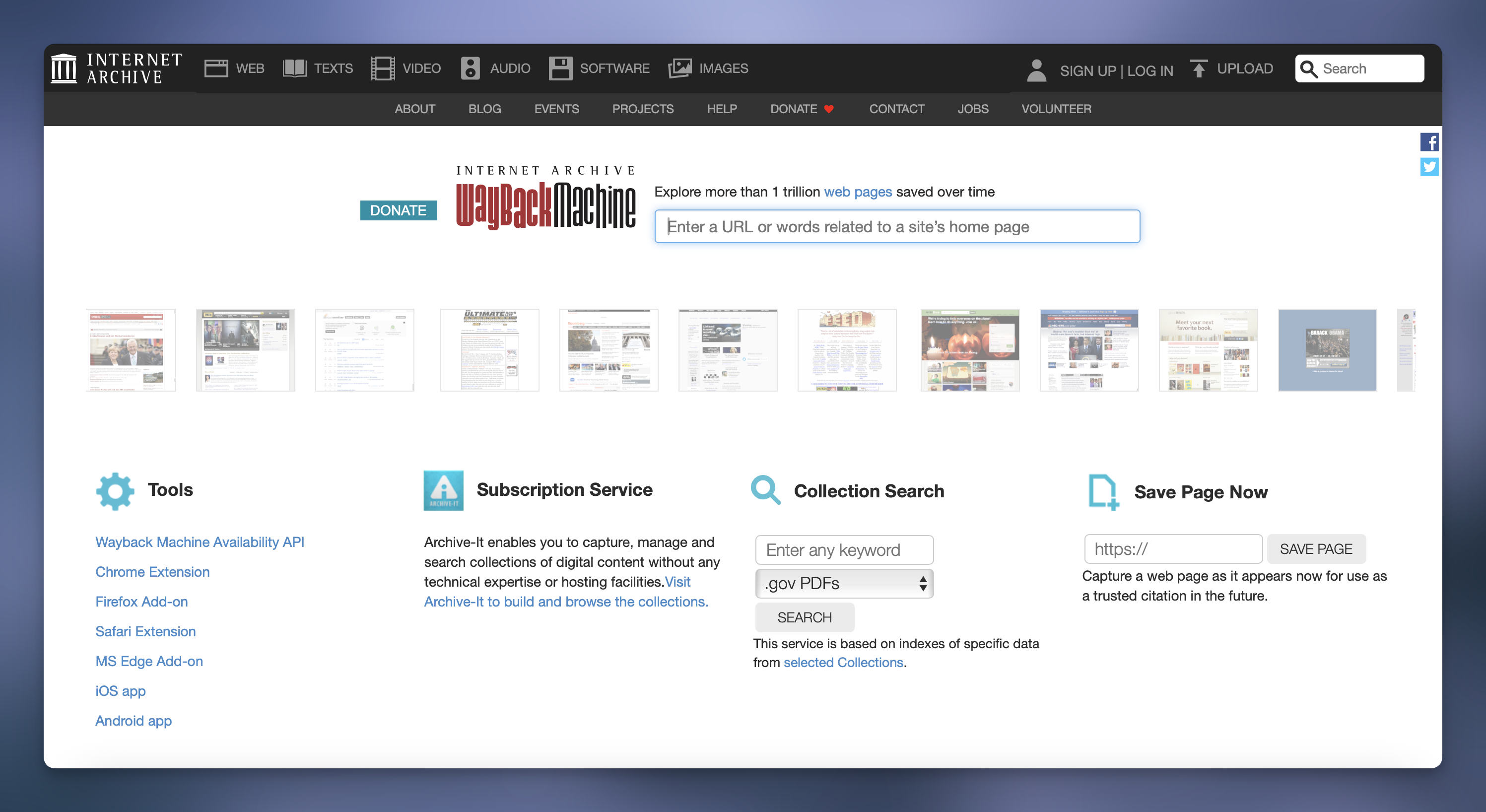
How to use it:
- Go to archive.org/web
- Enter the profile URL (e.g., twitter.com/username or x.com/username)
- Browse the calendar showing archived snapshots
- Select a date when the tweet was still live
- Navigate the archived page to find the content
Important limitations:
- Not every profile is archived
- Popular accounts get archived more frequently than small ones
- Snapshots capture the page at specific moments
- The tweet must have been visible when the snapshot was taken
- Private accounts cannot be archived
Tips for better results:
- Try multiple dates around when you think the tweet existed
- Check both twitter.com and x.com URLs (after the rebrand)
- Look for direct tweet URLs if you have them (twitter.com/username/status/123456)
Method 2: Google Cache
Google occasionally caches X pages, creating temporary copies that persist after deletion.
How to search:
- Use Google Search with site operator:
site:twitter.com "exact phrase from tweet" - Or search:
site:x.com "username" "keywords" - Look for cached results (small arrow or "Cached" link)
- Click the cached version to view the stored copy
Limitations:
- Cache expires quickly (usually days, not weeks)
- Not all pages get cached
- Google has reduced Twitter/X caching in recent years
- Less reliable than Wayback Machine
Method 3: Archive.is / Archive.today
This service creates on-demand page snapshots that persist indefinitely.
How to use it:
- Go to archive.is or archive.today
- Enter the tweet or profile URL
- If it's been archived before, you'll see saved versions
- If not, you can create a new archive (for future reference)
Advantages:
- Pages saved here remain accessible long-term
- Lightweight format loads quickly
- Good for individual tweet preservation
Limitations:
- Only works if someone previously saved the page
- Less comprehensive coverage than Wayback Machine
Method 4: Recovering Your Own Deleted Tweets
X allows you to download your complete data archive, including deleted content.
Steps to request your archive:
- Go to Settings and Privacy
- Select Your Account
- Click Download an Archive of Your Data
- Verify your identity (password and/or 2FA)
- Wait for X to prepare your archive (can take 24+ hours)
- Download the ZIP file when ready
What's included:
- All tweets you've posted (including deleted ones)
- Direct messages
- Media you've uploaded
- Account information
- Activity data
Important note: This only works for your own account. You cannot request another user's archive.
Method 5: Screenshot Evidence
Deleted tweets often survive as screenshots shared by others.
Where to search:
- Reply threads discussing the deleted tweet
- Quote tweets mentioning the deleted content
- Social media monitoring accounts
- News articles covering the deletion
- Reddit threads discussing the topic
Limitations:
- Screenshots can be edited or fabricated
- Context may be missing
- Quality varies
Why Some Tweets Can't Be Found
Even with these methods, many deleted tweets are gone forever:
Never archived: Small accounts and tweets deleted quickly often aren't captured by any archiving service.
Private accounts: Archive services cannot access tweets from private accounts.
Embedded media: While text may be archived, images and videos often fail to load in archived versions.
Dynamic loading: X's JavaScript-heavy interface sometimes doesn't archive properly, showing blank pages.
Takedown requests: Content removed for legal reasons may also be removed from archives.
Ethical Considerations
Before searching for deleted tweets, consider:
Privacy respect: People delete tweets for personal reasons. Resurfacing embarrassing old content can cause harm.
Context matters: Tweets from years ago may not reflect current views. Growth and change are normal.
Verification: Screenshots can be faked. Archived versions are more reliable but still require scrutiny.
Purpose: What will you do with recovered content? Legitimate uses include journalism, research, and accountability. Harassment is never acceptable.
Preventing Your Tweets from Being Archived
If you want to reduce the chances of your tweets being archived:
- Use a private account: Archive services cannot access private profiles
- Delete quickly: The longer a tweet exists, the more likely it gets archived
- Avoid controversy: High-engagement tweets attract more archiving attention
- Regular cleanup: Periodically review and remove old content
Note: Once something is archived, you generally cannot remove it from third-party services.
Frequently Asked Questions
Can X restore tweets I've deleted?
No. Once you delete a tweet, X permanently removes it from their servers. They cannot restore it for you. Your only option is requesting your data archive, which may contain the deleted content.
Do deleted tweets still appear in search results?
Briefly, yes. Search engines may show cached or indexed versions for a short period after deletion. This usually clears within days to weeks.
Can I find deleted tweets from a suspended account?
Sometimes. If the account was archived before suspension, you may find content on the Wayback Machine. However, suspended accounts typically had less archiving activity.
Are there tools that automatically archive tweets?
Yes. Services like Archive Team and various researchers run automated archiving. However, coverage isn't comprehensive. You can manually save important content to Archive.is.
Is it legal to access deleted tweets?
Generally yes. Publicly posted content that was archived while publicly accessible is legal to view. However, using that content for harassment, defamation, or copyright infringement may create legal issues.
Deleted tweets can sometimes be recovered through archiving services, but success isn't guaranteed. The Wayback Machine offers the most reliable method, while your own X data archive provides the most complete record of your personal content. Always consider ethical implications before searching for or sharing deleted content.