












The "Rate Limit Exceeded" error on X (formerly Twitter) appears when you've performed too many actions in a short period. The platform implements these limits to maintain stability and prevent automated abuse. Here's everything you need to know about why this happens and how to fix it.
What Does Rate Limit Exceeded Mean on X?
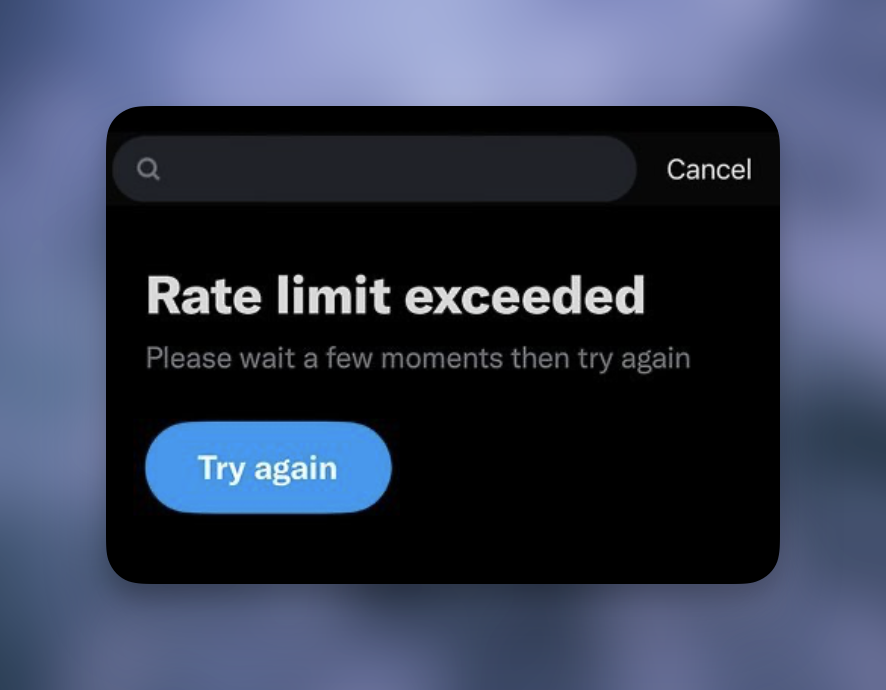
Rate limiting is a system that caps how many actions you can perform within a specific timeframe. When you hit that cap, X temporarily blocks further actions until the limit resets.
X introduced stricter rate limits in July 2023 to combat data scraping by AI companies and bots. The platform processes hundreds of millions of posts daily from over 600 million monthly active users. Without rate limits, this load would overwhelm the infrastructure.
Three core purposes drive rate limiting:
- Platform stability: Prevents server overload during traffic spikes
- Anti-abuse protection: Stops bots and scrapers from harvesting data
- Fair usage: Ensures all users get reasonable access to the platform
Current X Rate Limits
The platform enforces different limits based on your account status:
Reading limits:
- Verified (Premium) accounts: 10,000 posts per day
- Unverified accounts: 1,000 posts per day
- New unverified accounts: 500 posts per day
Posting limits:
- 2,400 posts per day maximum (including reposts, quote posts, and replies)
- 50 posts per 30-minute window
Other action limits:
- 500 direct messages per day
- 400 follows per day
- 4 email changes per hour
After following 5,000 users, X imposes additional restrictions based on your follower-to-following ratio.
How Long Does the Rate Limit Last?
The duration depends on which limit you hit and how severely you exceeded it.
Typical reset times:
- Minor limits: 15 minutes to 1 hour
- Following/DM limits: Up to 24 hours
- Repeated violations: Extended periods or temporary suspension
The platform uses a rolling window system. Your limit counter decreases as time passes, rather than resetting at a fixed time.
How to Fix Rate Limit Exceeded on X
Several methods can resolve or work around the rate limit error.
1. Wait for the Automatic Reset
The simplest solution is patience. Most limits reset within 15 minutes to an hour. Close the app, take a break, and return later. Continuing to attempt actions while rate-limited can extend the restriction period.
2. Clear Your App Cache
On mobile devices, clearing the app cache can sometimes resolve persistent rate limit issues:
Android:
- Open Settings
- Navigate to Apps
- Find and select X
- Tap Storage
- Select Clear Cache and Clear Data
iOS:
- Delete the X app
- Reinstall from the App Store
This clears cached data that might be contributing to the issue.
3. Switch Between App and Browser
Rate limits sometimes apply differently across platforms. If you hit the limit on the mobile app, try accessing X through a web browser. The reverse also works: if the browser is limited, the app might still function.
This workaround exploits how X tracks usage across different access points.
4. Remove Third-Party Connected Apps
Third-party applications connected to your X account consume your rate limit allocation. Each app making API calls on your behalf counts against your limits.
To review connected apps:
- Go to Settings and Privacy
- Select Security and Account Access
- Choose Apps and Sessions
- Review Connected Apps
- Revoke access for apps you don't actively use
Removing unnecessary connections frees up your rate limit capacity.
5. Check for Platform Outages
Sometimes the error indicates a platform-wide issue rather than a personal limit. Check status monitoring services to see if X is experiencing problems. If others report similar issues, the problem is on X's end, and you need to wait for their fix.
6. Subscribe to X Premium
Premium subscribers receive the highest rate limits. If you frequently hit limits due to heavy platform use, upgrading to Premium increases your daily reading cap to 10,000 posts and provides other benefits.
This is the only permanent solution if your normal usage pattern consistently exceeds standard limits.
Preventing Future Rate Limit Issues
Proactive measures reduce your chances of hitting rate limits:
Pace your activity: Spread actions throughout the day rather than performing many at once
Audit connected apps: Remove apps you no longer use that might be consuming your allocation
Avoid mass actions: Following or unfollowing many accounts rapidly triggers limits
Use official clients: Third-party apps may have stricter limits or less efficient API usage
Monitor your patterns: If you consistently hit limits, your usage may need adjustment
Rate Limits for API Developers
Developers using the X API face separate rate limits that vary by endpoint and subscription tier. When hitting API rate limits:
- Check the
x-rate-limit-resetheader to see when limits reset - Implement exponential backoff: start with small delays, then double between retries
- Cache responses when possible to reduce API calls
- Consider upgrading your API access tier for higher limits
Why X Implemented Stricter Limits
The July 2023 rate limit changes came after X identified massive data scraping operations. AI companies were harvesting tweets to train language models without permission or payment.
The limits created significant user frustration initially, as casual users encountered restrictions during normal browsing. X has since relaxed some limits while maintaining protections against bulk data extraction.
The current system represents a balance: strict enough to deter scrapers but permissive enough for typical human usage patterns.
Frequently Asked Questions
Why am I rate limited when I haven't done anything unusual?
Connected third-party apps often cause this. Each app making requests through your account consumes your rate limit. Review and remove apps you don't actively use.
Does rate limiting affect my account standing?
No. Rate limiting is temporary and doesn't impact your account status. However, repeatedly attempting actions while rate-limited can trigger extended restrictions.
Can I see how much of my rate limit I've used?
X doesn't provide a user-facing rate limit dashboard. You only learn you've hit the limit when the error appears.
Do rate limits apply to DMs?
Yes. X limits direct messages to 500 per day. Sending messages to many accounts rapidly, especially new ones, can trigger the limit quickly.
Is there a way to check if X is having widespread issues?
Yes. Third-party status monitoring services track user reports and can indicate whether problems are platform-wide rather than account-specific.
Rate limits are a standard practice across social media platforms to ensure stability and fair access. While frustrating when encountered, they protect the platform and its users from abuse. The most reliable solution is moderating your usage patterns to stay within normal limits.