












Viewing X (formerly Twitter) without an account has become increasingly difficult. The platform wants you to sign up for tracking and advertising purposes. However, several methods still let you browse content anonymously. Here's how to access X without creating an account.
Why Browse X Without an Account?
Several legitimate reasons exist for anonymous browsing:
- Privacy concerns: You don't want X tracking your activity
- Quick research: You need to check something without commitment
- Avoiding distractions: An account means notifications and engagement temptations
- Testing content: Seeing how your posts appear to logged-out users
- Regional restrictions: Accessing content not available in your region
Method 1: Third-Party Viewer Tools
Dedicated viewer tools provide the most reliable way to browse X anonymously.
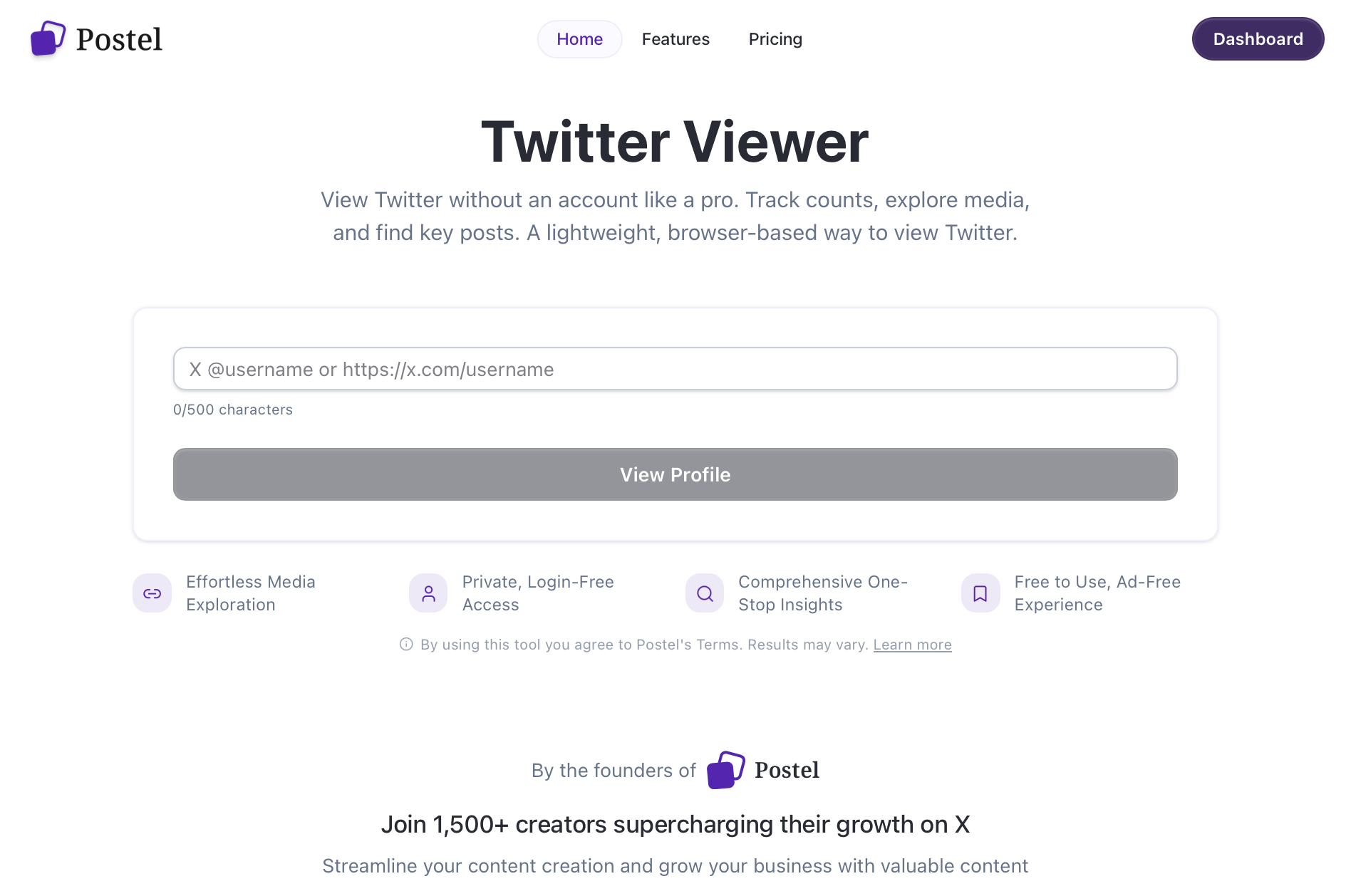
How they work: These services act as intermediaries, fetching X content and displaying it without requiring you to interact with X directly. This bypasses login requirements.
Using viewer tools:
- Navigate to a viewer service
- Enter a username or search term
- Browse profiles, tweets, and media
- View without any login prompts
Advantages:
- Completely anonymous browsing
- No regional restrictions
- Often faster than X itself
- Additional features like analytics
Limitations:
- Cannot interact with content (like, repost, reply)
- Real-time content may have slight delays
- Some tools have rate limits
Method 2: Google Search
Google indexes public X content, making it searchable without visiting X directly.
Search techniques:
For specific users:
site:x.com @username
For topics:
site:x.com "search term"
For recent tweets:
site:x.com "keyword" after:2026-01-01
Advantages:
- Works without any tools
- Often finds specific content faster
- Can filter by date
Limitations:
- Not all content is indexed
- Results may be outdated
- Limited to what Google has crawled
Method 3: Embedded Tweets
News sites, blogs, and forums often embed X posts directly in their content.
How to find embedded tweets:
- Search for news about a topic
- Look for embedded social media content
- View tweets within the article context
Why this works: Embedded tweets display through X's embed system, which doesn't require login. The content renders directly on the hosting website.
Where to find embedded tweets:
- News articles covering viral content
- Sports and entertainment coverage
- Technology blogs
- Discussion forums like Reddit
Method 4: X's Limited Public Access
X still allows some browsing without an account, though it's increasingly restricted.
What still works:
- Direct profile URLs (sometimes)
- Trending topics (limited views)
- Explore page (before login prompt appears)
The catch: X typically forces a login prompt after viewing a few posts. You might see content briefly before being blocked.
Workarounds:
- Open links in incognito/private browsing
- Clear cookies regularly
- Use different browsers
Method 5: RSS Feeds and Aggregators
Some services convert X feeds into RSS format, allowing anonymous following.
How it works:
- Find a service that creates RSS feeds from X profiles
- Add the feed to your RSS reader
- Receive updates without visiting X
Advantages:
- Passive content consumption
- No X account needed
- Organized by publication time
Limitations:
- Media may not display properly
- Not all services work reliably
- Some require paid subscriptions
What You Cannot Do Without an Account
Anonymous browsing has clear limitations:
- No interactions: Cannot like, repost, reply, or bookmark
- No following: Cannot follow accounts or create lists
- No DMs: Cannot send or receive direct messages
- No customization: Cannot adjust feed preferences
- No notifications: Cannot receive alerts about activity
- Limited search: Cannot use advanced search filters
If you need these features, creating an account is necessary.
Privacy-Focused Alternatives
If privacy is your main concern, consider these approaches:
Burner account: Create an account with minimal information, used only for browsing. Use a separate email address.
Privacy-focused front-ends: Services that display X content without tracking. Some maintain the original project's codebase for privacy-conscious users.
Browser extensions: Some extensions modify how X works, reducing tracking while maintaining functionality.
X's Restrictions Are Increasing
X has steadily made anonymous browsing harder:
2023 changes:
- Login walls became more aggressive
- Rate limits applied to logged-out users
- Content visibility reduced
Current status:
- Most direct profile visits require login
- Search functionality limited without account
- Media viewing increasingly restricted
These restrictions serve X's business model: logged-in users provide data and see ads. Expect further limitations over time.
Tips for Anonymous Browsing
Use multiple methods: When one approach fails, try another. Combine Google search, viewer tools, and direct access.
Accept limitations: You won't get the full X experience without an account. Anonymous browsing is useful for occasional viewing, not active participation.
Protect your privacy: Even viewer tools may track usage. Use private browsing and consider a VPN for maximum privacy.
Stay updated: Methods change as X modifies its policies. What works today may not work tomorrow.
Frequently Asked Questions
Can I see private accounts without logging in?
No. Private accounts are only visible to approved followers. No workaround exists for viewing private content without permission.
Will X know I viewed content through a third-party tool?
The tool knows, but X cannot identify you personally. However, X can see traffic from viewer services in aggregate.
Why does X force login now when it didn't before?
X changed its business strategy to prioritize logged-in users for advertising and data collection. The 2023 ownership changes accelerated these restrictions.
Are viewer tools safe to use?
Reputable viewer tools are safe for viewing content. Never enter your X credentials on third-party sites. If a tool asks for your password, it's a scam.
Can I view trending topics without an account?
Sometimes. X's Explore page occasionally shows trending content before prompting login, but access is inconsistent and limited.
Browsing X without an account remains possible but increasingly challenging. Third-party viewer tools offer the most reliable method, while Google search helps find specific content. For regular X use, creating an account (even a minimal one) provides a better experience.